Now in beta testingNo monthly fees. Ever.
Practice Management and Clinical Will Software
Client records, session notes, outcome measures, invoicing, a waiting list, your CPD and supervision log, and your Clinical Will, all on your own computer. It is currently in beta testing, ahead of launch at a one-off £149 with no monthly subscription. Built by a practising UKCP psychotherapist for UK private practice.
- OfflineNo cloud, no server
- AES-256Encrypted Vault file
- BetaTesters get 1 year free
- £0 a month£149 once at launch
Works best in Google Chrome or Microsoft Edge on a Windows PC, Mac, Chromebook or Linux computer.
Everything a private practice needs, nothing it doesn't.
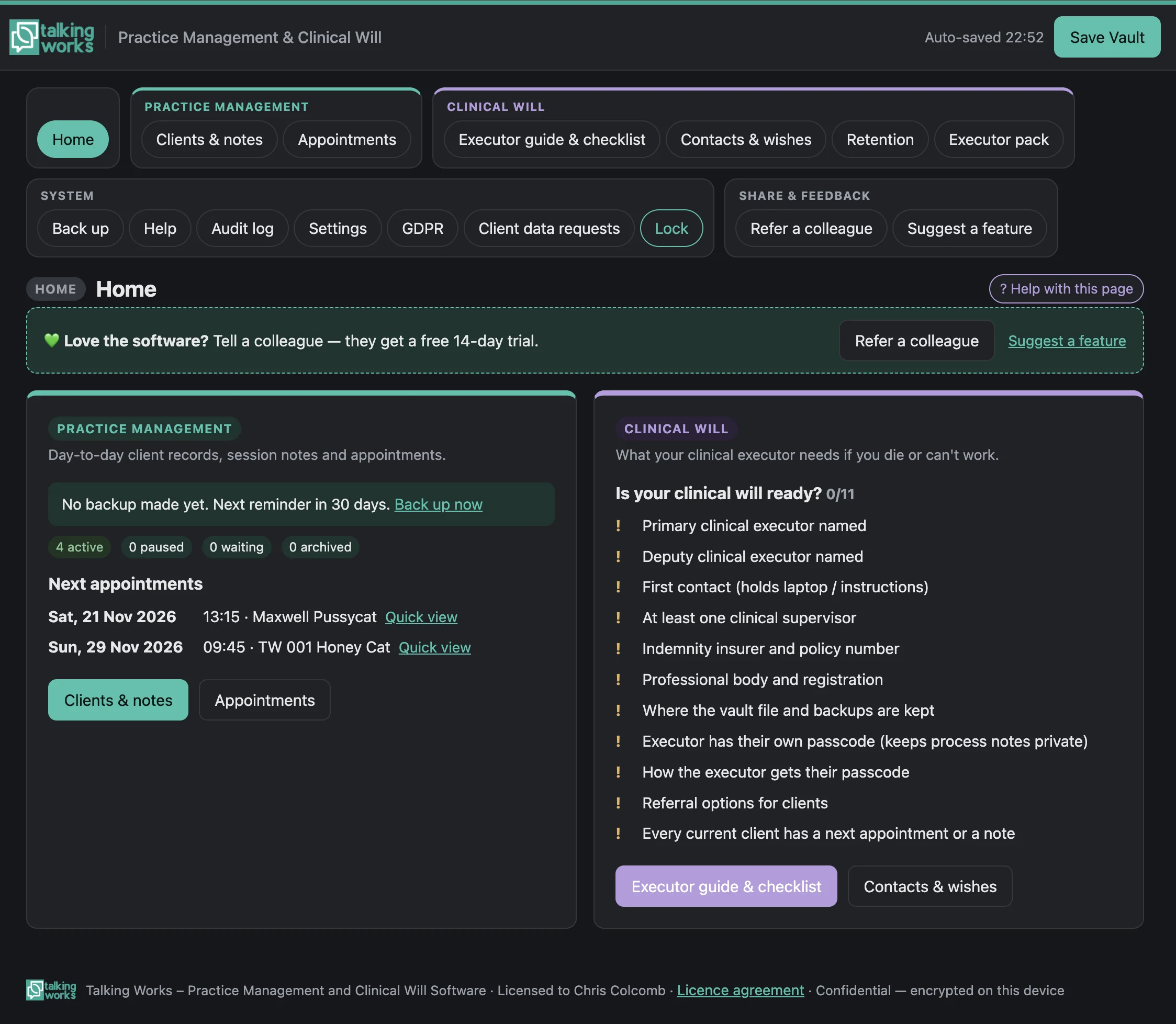
Clients and notes
See every client at a glance: status, contact details, last session and current risk level. Open a quick view before each session to see what to carry forward, reminders, risk, the last session and the latest questionnaire scores.
- Names, pronouns, contact details and precautions (such as “do not leave messages”), consent, GP and emergency contacts, intake, summary and risk
- Therapy and supervision clients, with active, paused, waiting-list and archived statuses
- New Fees for each client, including a missed or late-cancellation fee and who invoices go to (for example an EAP)
- New Import a client list from another practice system or a spreadsheet (CSV), with columns matched automatically and duplicates skipped
- Attach Word files, PDFs and photos, encrypted inside the Vault
Structured session notes
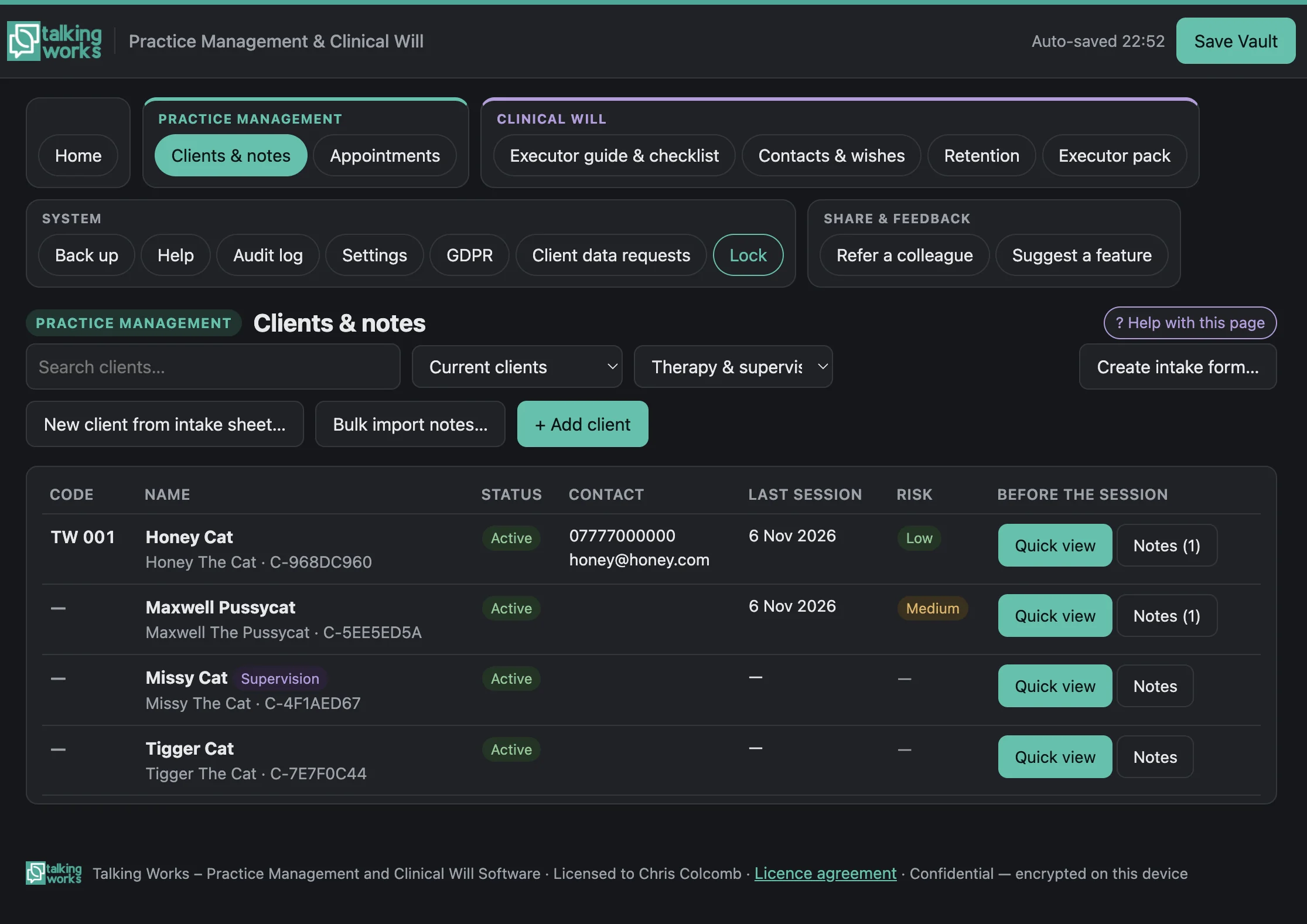
A clear template for every session, covering admin, attendance, risk, presentation and themes. Drafts are signed off when complete, and later changes are added as addenda or tracked with a version history.
- New SOAP and DAP layouts as alternatives to the standard template
- New Session outcome (attended, did not attend, cancelled late or with notice) and a fee on each note
- Sign-off locks the note; edits keep earlier versions, and dated addenda can be added
- Print, save as PDF or export to Word with your practice layout and logo
- Bulk upload existing Word and PDF notes, matched to clients by code or name
- Private process notes, encrypted with your own key, never seen by your executor and never included in record requests
Your Clinical Will, kept up to date
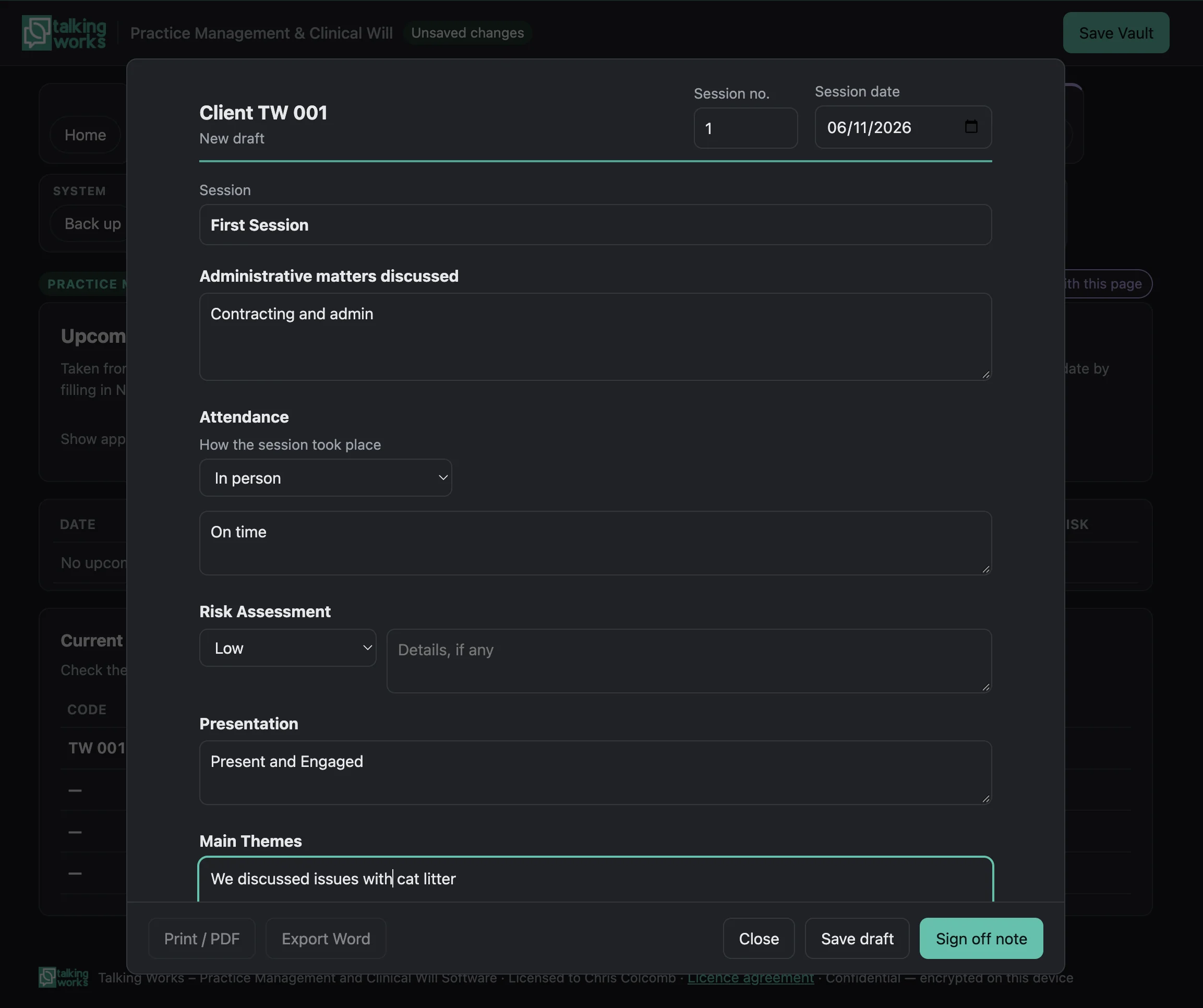
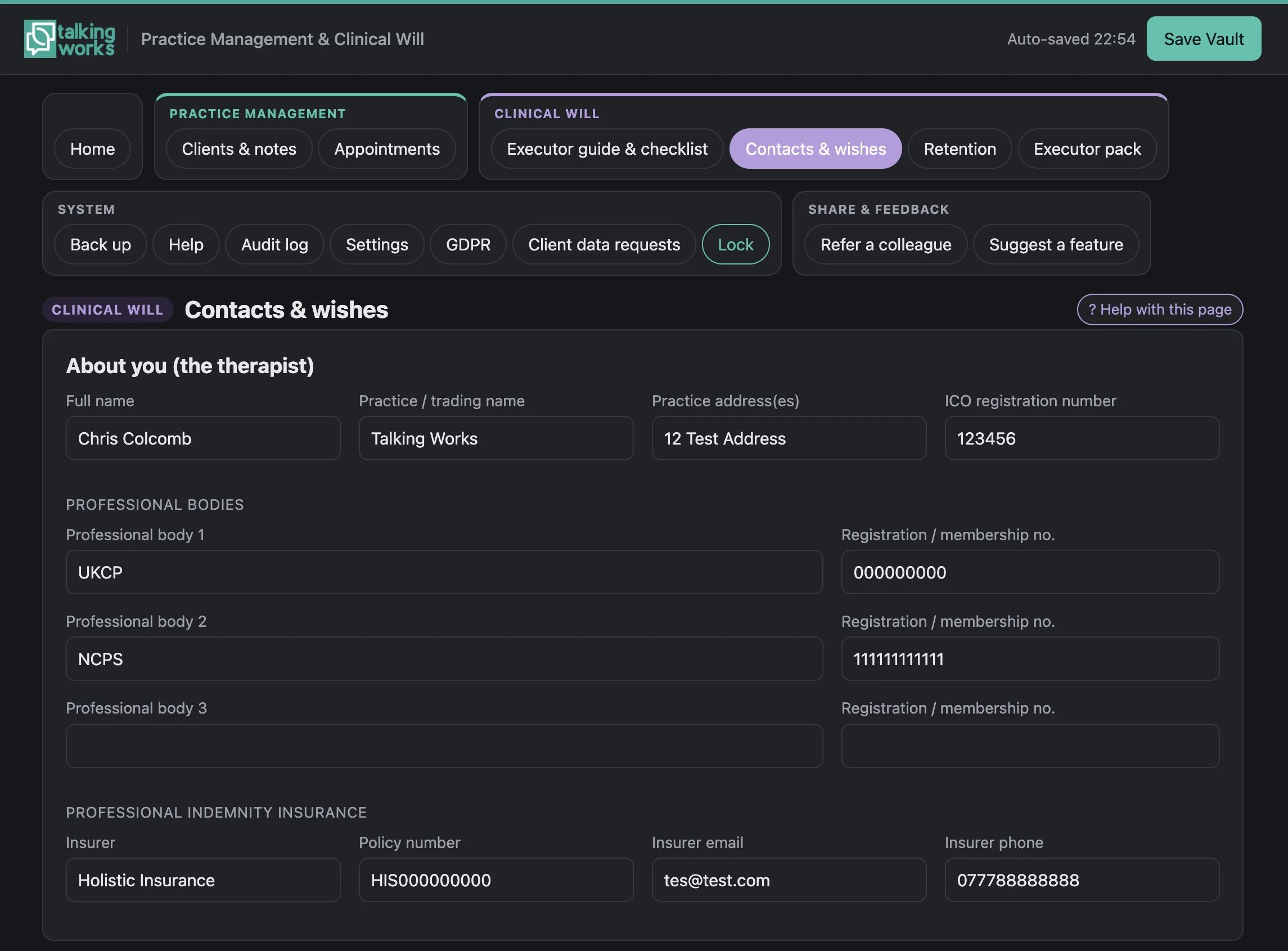
Record your professional bodies, insurer, supervisors, referral options and wishes alongside your records, so your clinical executor has everything they need. A readiness checklist on the Home screen shows what is still missing.
- Executor guide and a step-by-step checklist
- Executor pack: printable instructions, upcoming appointments, a client contact list and client detail sheets
- A separate executor passcode that opens client records, notes and appointments, but never process notes or the CPD log
- Retention: deletion dates (7 years by default, adjustable), secure deletion and a destruction register
Install the software on a Chromebook kept solely for your practice. If you die or become unable to work, your next of kin simply hands the laptop to your clinical executor, who opens the Vault with their own passcode and takes over. No passwords to hunt for and no files to find.
Outcome measures, money, a waiting list and more.
Added in November 2026, these are the features therapists ask about most when they are thinking of moving their practice.
Outcome measures
- PHQ-9 (depression), GAD-7 (anxiety) and CORE-10 (psychological distress), filled in by the client on screen or entered from paper
- Automatic scoring with severity bands and clinical cut-offs
- Risk flags when PHQ-9 question 9 or CORE-10 question 6 is answered with anything other than “Not at all”, shown in the client list, Quick view and on Home
- A progress chart for each client, with change from the first score and reliable improvement
Money and invoicing
- Session fees come straight from your session notes, plus other charges if needed
- Branded invoices and receipts as PDFs, with your logo and bank details
- Paid and unpaid tracking with overdue invoices flagged; record cash, bank transfer, card or cheque payments, with payments in advance kept as credit
- Expenses in HMRC self-employment categories, receipt photos stored encrypted, and a tax-year summary (6 April to 5 April) with a spreadsheet export for your accountant
Waiting list
- Contact details, the days and times people are free, how long they have waited, and notes
- An “Offer a space” email, and turn someone into a client in one click
- Waiting-list count and longest wait on the Home screen
Therapy agreement
- A suggested UK therapy agreement, including a clinical executor clause, that you can fully customise
- Edit every part: title, sections, your own terms, consent tick boxes and signature boxes, plus extra terms for an individual client
- A branded PDF that clients fill in on a computer or phone; when it comes back, the software reads the ticks, signature and date and files it with the client
Calendar and reminders
- Add appointments to Google, Apple or Outlook calendars, with private titles (client code by default)
- Appointment reminder emails from an editable template, opened in your own email app. Nothing is sent automatically
A Home screen that keeps you on track
- Sessions this month, missed sessions, income received, money owed and the waiting-list count
- An alert when a client answers a risk question on a questionnaire
- A count of active clients with no therapy agreement recorded
Forms
A branded, customisable intake form (fillable PDF) with your own questions, a Word version for phones that can't fill in PDFs, new clients created straight from a returned form, and client details reminders with a pre-filled update form.
Your branding and help
Your practice name, logo and colour scheme (which can be picked from your logo) on screen and on notes, forms, invoices and agreements. A full user guide and a separate clinical executor guide are built in.
The therapy agreement and tax-year summary are aids, not legal or tax advice, so check them with your professional body or accountant. PHQ-9 and GAD-7 were developed by Drs Spitzer, Williams, Kroenke and colleagues with an educational grant from Pfizer Inc. No permission is required to reproduce them. CORE-10 is © CORE System Trust and is reproduced unchanged in the software.
Audit-ready CPD, in the same place as your practice records.
Log CPD and supervision as you go, attach your certificates, and produce an audit-ready report or evidence pack in one click.
Log as you go
- Date (and end date for multi-day courses), type, title, provider or author, and time in hours and minutes
- Training and courses, workshops, conferences, webinars and online learning, reading, personal therapy, peer groups, research and writing, teaching and presenting
- An optional reflection on what you learned and how it informs your practice
- Attach certificates, reading notes and photos to each activity
Supervision and targets
- Log supervision attended: date, time, supervisor, format (individual, group or peer) and whether in person, online or by telephone
- New entries remember your last supervisor and session length
- Set the target your professional body asks of you
- A progress bar, also shown on the Home screen, tells you where you stand
Audit-ready reports
- One click creates a CPD report (PDF) for any date range, such as the last 12 months, this year or last year
- Shows your name, professional body and membership number, total hours and hours by type, every activity with optional reflections, supervision attended, and a signature and date line
- Optional month-by-month table comparing supervision hours with client sessions, counted automatically from your session notes (counts only, no client details)
- An audit pack: one zip file with the report and every certificate from that period, ready to send to an auditor
Your CPD log is kept in its own encrypted file, separate from your client-records Vault, so certificates never slow anything down. It opens with your usual passphrase, so there is nothing extra to remember. Your clinical executor's passcode cannot open it, and it is not part of the Clinical Will handover. Like the rest of the software, it works offline on your own computer: nothing is uploaded and I never see your data.
Bring your clients and notes with you.
Many online practice systems charge a subscription for as long as you practise. At launch, Talking Works will cost £149 once, with no monthly fees, ever. It now includes the features people moving across ask about most: outcome measures, invoicing and payments, a waiting list, calendar export, a therapy agreement, SOAP and DAP notes, and importing a client list.
Import your client list
Export your client list from your current system as a spreadsheet (CSV) and import it. Columns are matched automatically and duplicates are skipped.
Bulk import your notes
Download your existing notes as Word or PDF files and bring them in one go. They are matched to clients by code or name, then check each client's imported notes.
Run both for a while
I recommend a transition period where you keep using your existing notes system alongside, until you are confident with the new software. Then cancel your subscription.
Your clients' information never leaves your computer.
Designed with UK GDPR, professional body record-keeping and the Clinical Will in mind. You remain the data controller.
Encrypted Vault
All records live in one Vault file, encrypted with AES-256-GCM and a key made from your passphrase. The software makes no network connections and stores nothing online.
Data requests made simple
Build a subject access request as a PDF or zip, track the one-month deadline and keep a request log, all from within the app.
Safe by design
An audit log records significant actions, the Vault locks itself, and backup reminders check that each backup can be read back.
End User Licence Agreement. The software works best in Google Chrome or Microsoft Edge on Windows, Mac, Chromebook or Linux, where changes save straight back to your Vault. It also works in Safari or Firefox, but there each save goes to your Downloads folder. iPhone, iPad and Android are not supported for running the program, though clients can fill in its forms on a phone. There is no way to recover a lost passphrase, so keep it somewhere safe.
£149, once. No subscription, ever.
The software is in beta testing now. This is how pricing will work at launch.
£149 paid once
lifetime licence
No VAT is charged. Talking Works is not VAT-registered.
- A lifetime licence for one named practitioner, on computers you own or control
- No subscription and no ongoing fees
- Your licence key is emailed to you once payment has been received
- If it doesn't work substantially as described within 30 days of your key being issued, I'll try to fix it or refund your fee
Beta testers receive a free one-year licence. Find out more.
One-month free trial, with every feature
At launch, every new user gets a one-month (30-day) free trial with every feature, so you can try it properly in your practice.
When the trial ends, you can still open your Vault and view your records on screen. Adding or changing records, and printing, saving as PDF or Word, copying, downloading or exporting them, need a licence.
New versions may be offered, but updates and support are not guaranteed. Read the full End User Licence Agreement before you buy.
Become a beta tester and get a free one-year licence.
The software is now in beta testing. I am looking for therapists, counsellors and supervisors in UK private practice to use it in their day-to-day work and tell me honestly what works and what doesn't.
Everyone who beta tests the software receives a free one-year licence.
What's involved
- Use the software in your practice on a computer with Google Chrome or Microsoft Edge
- Keep your existing notes system running alongside, as beta software may still have bugs
- Make regular backups of your Vault
- Send me your feedback, suggestions and any problems you find
Be the first to know when it launches.
Register your interest and I'll email you when the software is available, at a one-off £149 with no subscription and no monthly fees (no VAT is charged). Or apply to become a beta tester and use it now with a free one-year licence.
- Runs in Google Chrome or Microsoft Edge on your own computer
- Your data stays in your own encrypted Vault file
- Built-in user guide and executor guide
- New outcome measures, invoicing, waiting list and therapy agreement
- CPD and Supervision Log with audit-ready reports
- Keep your current notes system running alongside during a transition period
Prefer email? Write to chris@talkingworks.uk.
Register your interest
Thank you.
I'll be in touch by email soon.
Common questions
What does beta testing mean?
The software is finished enough to use, but I am still testing it with practising therapists before launch. Beta software may still have bugs, so testers keep their existing notes system running alongside and make regular backups.
What do beta testers get?
A free one-year licence, and the chance to shape the software with your feedback. To apply, use the form on this page or email me.
Is anything stored online?
No. The software is a single file that runs in your browser with no network connections. Your client data is kept in a separate encrypted Vault file on your own computer, so you can update the software without touching your data.
Can I bring my existing notes from another platform?
Yes. Import your client list from a spreadsheet (CSV) exported from your current system, then export your notes as Word or PDF files and bulk import them. Notes are matched to clients by code or name. You can also create clients from Word or fillable PDF intake forms.
Should I stop using my current system straight away?
No. I recommend a transition period where you keep using your existing notes system alongside the new software. Once you are confident and have checked your imported notes, you can cancel your old subscription.
What if I forget my passphrase?
Your Vault can't be opened without it, by design. Keep your passphrase somewhere safe and make regular backups, which the software reminds you to do.
Which browser should I use?
Google Chrome or Microsoft Edge on Windows, Mac, Chromebook or Linux gives the best experience: changes save straight back to your Vault, and you get one-click reopening and checked backups. The software also works in Safari or Firefox, but there each save goes to your Downloads folder. iPhone, iPad and Android are not supported for running the program, though clients can fill in its forms on a phone.
Can I use it on more than one computer?
The software works offline and does not sync between devices or store anything in the cloud. If you use more than one computer, copy your files across yourself.
Can I keep my CPD and supervision records in it?
Yes. The CPD and Supervision Log records your CPD activities, reflections, certificates and supervision, tracks your progress against the target your professional body asks of you, and creates an audit-ready PDF report or a zip audit pack in one click. It is kept in its own encrypted file that your clinical executor's passcode cannot open. The software is not approved or endorsed by any professional body.
How does the software help with my Clinical Will?
Alongside your records it keeps your executor guide, checklist, contacts and wishes. A simple approach is to run the software on a Chromebook used only for your practice. If you die or can't work, your next of kin hands that laptop to your clinical executor, who opens the Vault with their own passcode and can contact your clients.
How much does it cost?
At launch, a lifetime licence for one practitioner will be a one-off payment of £149. There is no subscription and no ongoing fees, and no VAT is charged because Talking Works is not VAT-registered. Beta testers receive a free one-year licence. Your licence key is emailed to you once payment has been received. Read the full End User Licence Agreement.
What happens when the free trial ends?
Every new user gets a one-month (30-day) free trial with every feature. When it ends, you can still open your Vault and view your records on screen, but adding or changing records, and printing, saving as PDF or Word, copying, downloading or exporting them, need a licence.
Does it send texts or emails, take bookings or take card payments?
No. Reminder and “offer a space” emails open in your own email app for you to send, and nothing is sent automatically. There is no online booking and no card processing: you record payments yourself, whether by cash, bank transfer, card or cheque.
Does it help with my tax return?
It keeps your income and expenses, sorted into HMRC self-employment categories, and produces a tax-year summary and a spreadsheet export. These are aids, not tax advice, so check them with your accountant.